Display and Touchlink
Last updated: November 27, 2023
Overviewlink
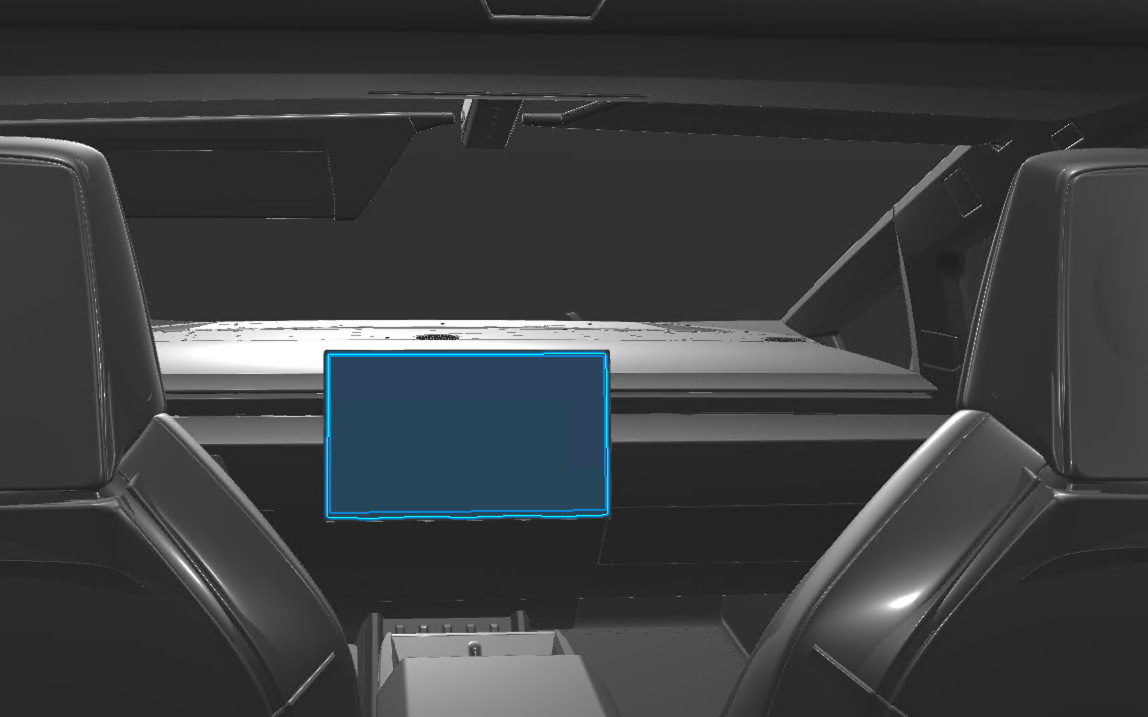
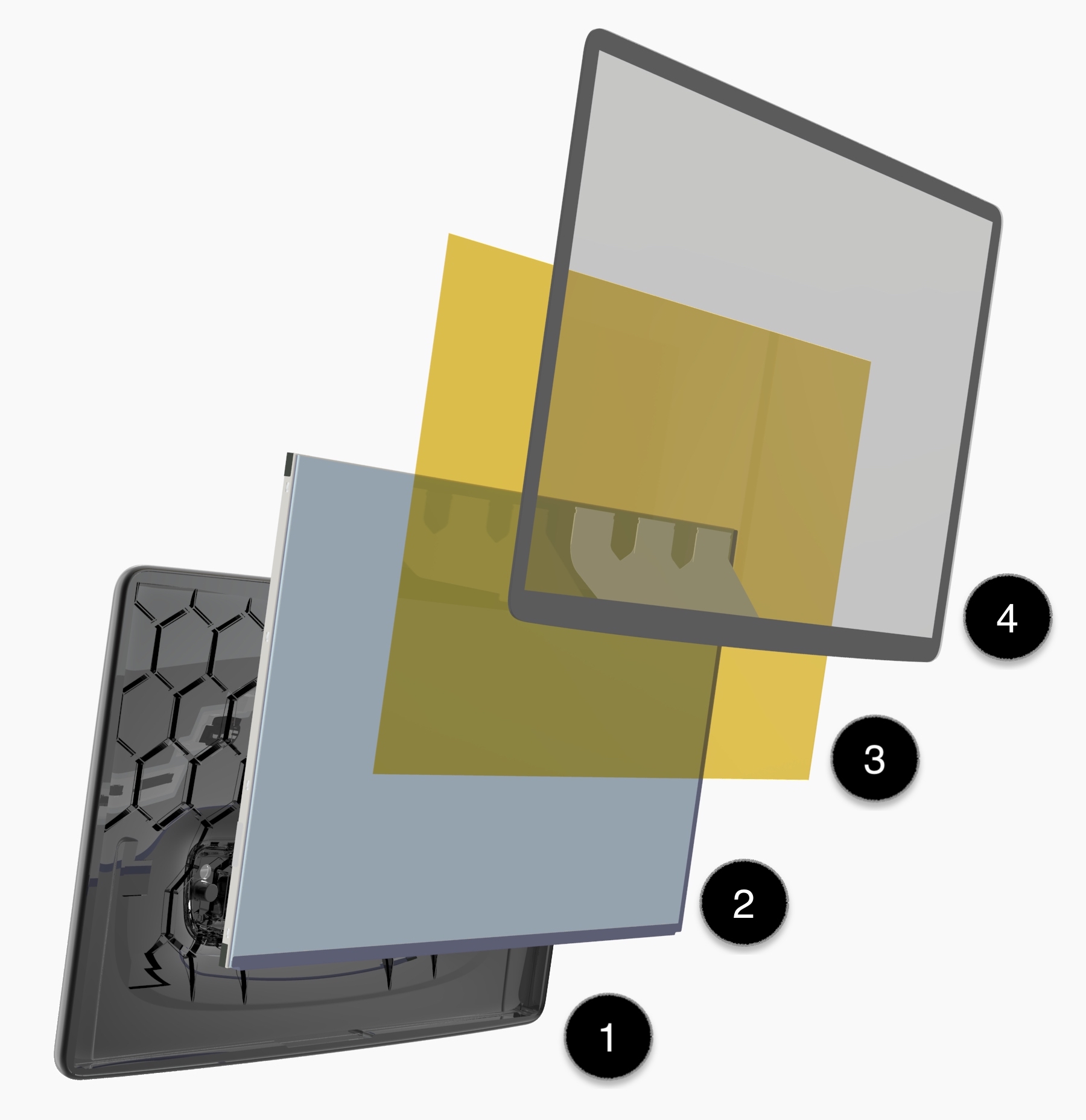
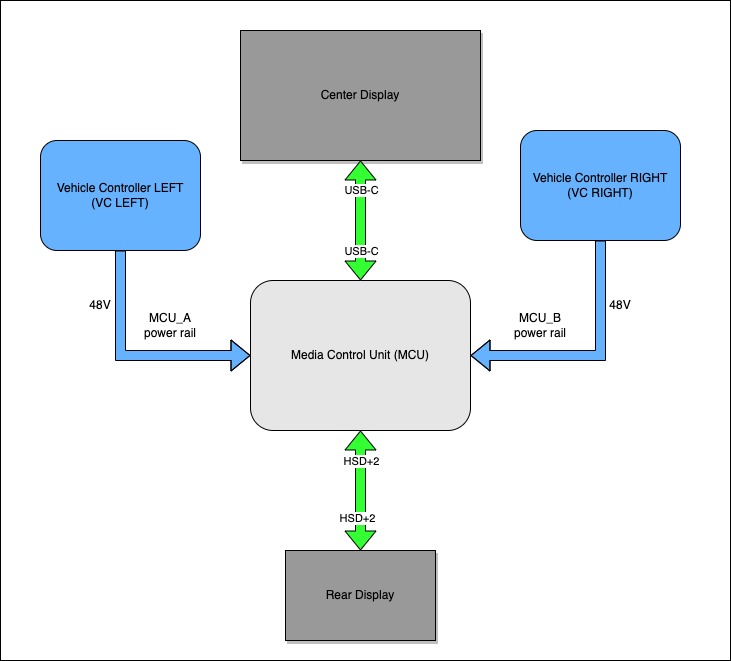
Cybertruck uses an 18.5" Center display. The center display is connected over DisplayPort interface to the car computer via single USB-C connection on MCU and Display panel sides.
 |
|---|
| Center Display location |
 |
|---|
| 1. Housing 2. LCD panel 3. Liquid optically clear adhesive 4. Touch panel |
| Center Display exploded view |
Specificationslink
- Screen size: 18.5"
- Resolution: 2560x1440 @ 60Hz
- Display Type : DisplayPort
Operationlink
 |
|---|
| Mid/Low Voltage flow diagram |
- The MCU will continue to supply power to the center display as long as the Left Vehicle controller or Right vehicle controller power to MCU is present.
- The USB-C pin assignment does not follow typical consumer grade USB-C pinout and is catered for Cybertruck Center Display operation.
Cybertruck's infotainment board is equipped with an integrated graphics processing unit (iGPU) which is part of the Accelerated Processing Unit (APU).
The power on sequence in order to get an image rendered consists of:
- CPU+iGPU are commanded to full power.
- Bootloader loads Linux Kernel operating system (OS).
- The OS identifies iGPU, Center Display, and Rear Display and loads the appropriate modules and drivers.
- Graphics and Touch drivers run through an initialization sequence.
- Applications interact with OS graphics software stack and drivers to render content onto Center and/or Rear Displays.
For information on stalkless gear selection, refer to the Gear Selector section.
Serviceabilitylink
- The center display can only be serviced as an entire assembly.
- Center display and Center display touch device firmware are updatable.
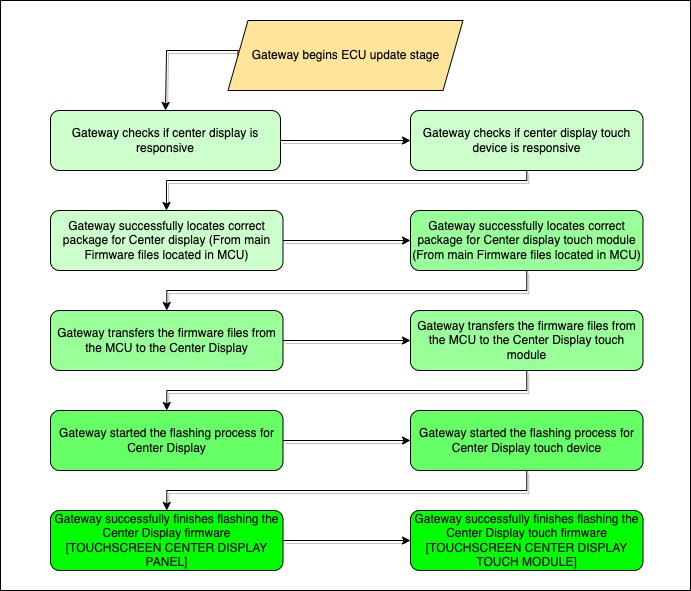
- During a firmware update, the center display and its touch device module are treated as their own unique components by the Gateway and are updated in the same sequence as all other Electronic Control Units (ECUs) the gateway is responsible for. The Gateway uses i2c protocol to flash both components. The component naming convention during the update is 'TOUCHSCREEN CENTER DISPLAY PANEL' and 'TOUCHSCREEN CENTER DISPLAY TOUCH MODULE' respectively.
 |
|---|
| Center display & touch firmware update sequence |
- Firmware update must be performed in order to ensure both center display components are running the latest firmware and match Gateway firmware version, otherwise a firmware mismatch alert will be present. TOUCHSCREEN CENTER DISPLAY PANEL and TOUCHSCREEN CENTER DISPLAY TOUCH MODULE are considered as non-critical ECUs, a failure to update these components will not prevent drive or block high voltage.
Rear Displaylink
Overviewlink
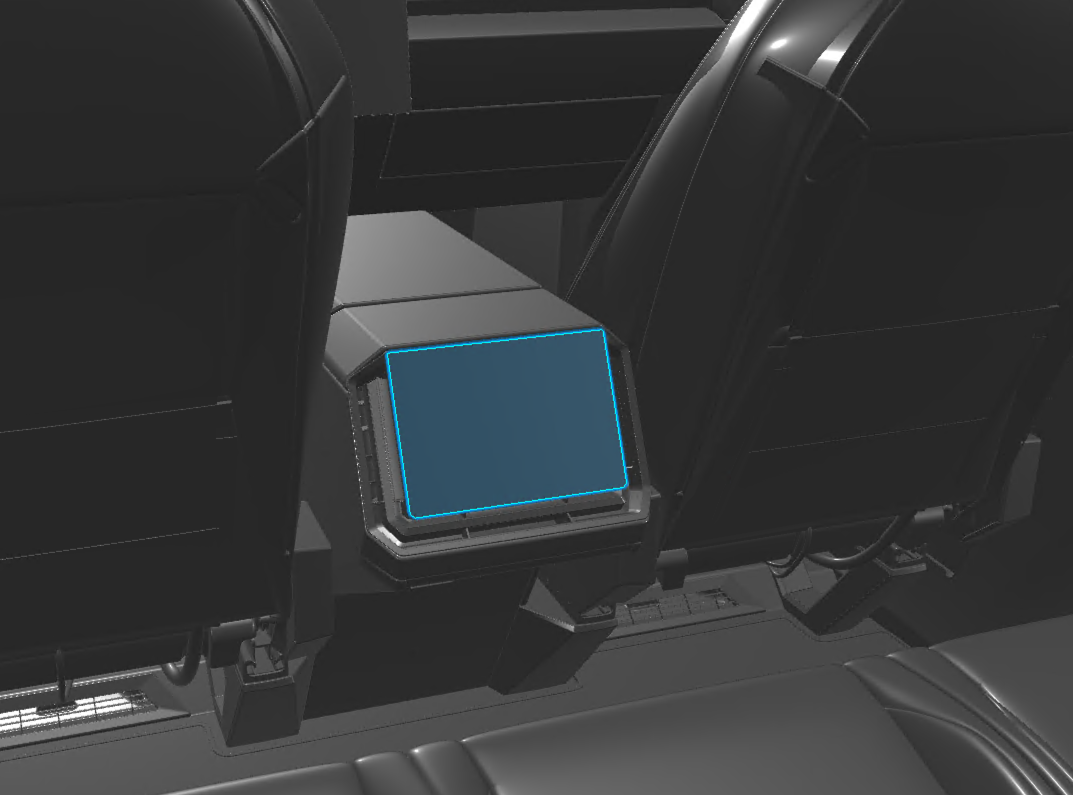 |
|---|
| Rear Display location |
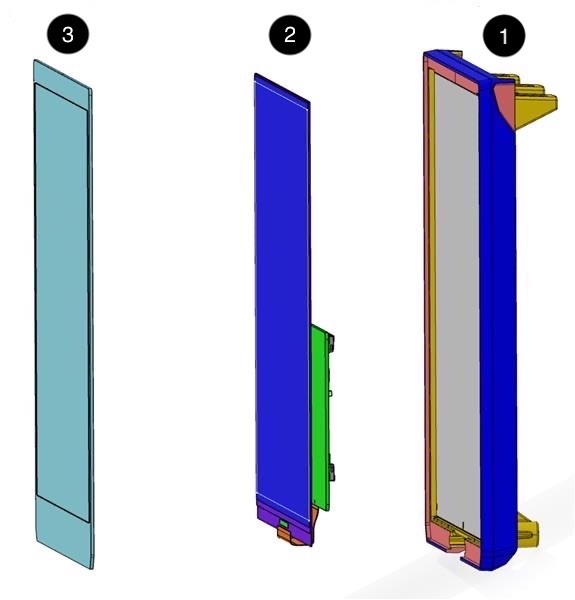 |
|---|
| 1. Housing 2. LCD panel 3. Cover Glass |
| Rear Display exploded view |
Specificationslink
- Screen size: 9.4"
- Resolution: 1440x900 @ 60Hz
- Display Type: HDMI over SerDes Link
Operationlink
The rear display offers full touch as well as video streaming capabilities. The display is connected to the car computer via a HSD+2 cable with the HSD portion carrying serialized data and the +2 portion providing power and ground for the display LED's and buck converter.
Serviceabilitylink
The rear display is serviced as an entire assembly. The Touch controller and timing controller (TCON) integrated circuit (IC) are updatable.
When the touch controller driver identifies a firmware mismatch during a rear display power-on or reset, it initiates a firmware update. The touch controller's driver is responsible for updating both the touch controller firmware and timing controller firmware.
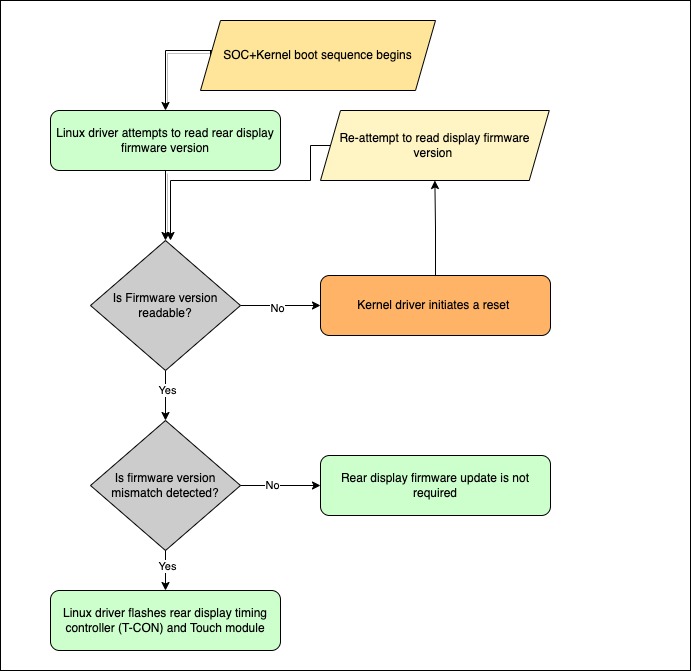 |
|---|
| Rear display & touch firmware update sequence |
- Rear display firmware updates are initiated by the Ryzen SOC using the Kernel's touch driver.
- In cases where rear display firmware version is not readable and returns a bad value, the touch driver will attempt to reset the IC and attempt to read firmware version again. If multiple attempts to read touch firmware version fail, connections between the Rear display and Car computer should be inspected.