Alarm Systemlink
Last updated: September 18, 2024
Summarylink
The 2021+ Model X is equipped with an alarm system which monitors for any unwanted entry into the vehicle and alerts the user if any such instance is detected. This system is activated 60 seconds after the vehicle is locked and checks the status of the door and front/rear trunk latches. If any intrusion is detected, the alarm system is activated, causing the horn to sound once every second and turn signals to flash.
Specificationslink
General Alarm Functionalitylink
The alarm functionality can be disabled by the user under Settings > Safety and Security > Security Alarm
The alarm is partially armed when the vehicle is parked and locked using the key card, key fob, phone, or Walk Away Lock. The alarm will then transition to fully armed after one minute if no unlocking request is received.
The alarm is disarmed when the vehicle is unlocked (with key card, key fob or phone), or when the vehicle enters Drive Mode.
If armed, the alarm is triggered when any door or trunk is opened.
Note
The alarm is not triggered if the front or rear trunk get opened by an authorized entry (e.g from Tesla phone application).
If the alarm is triggered, the horn will sound once every second and the turn signals will flash.
If triggered, the alarm can be disabled by unlocking the vehicle via an authenticated device. If none are detected, the alarm will be disabled after being activated for 30 seconds and will re-activate after one minute, for a maximum of 10 activation cycles.
Component Descriptionslink
Component Locationslink
The following components make up the Alarm system:
- Vehicle Controller Security (VCSEC)
- Vehicle Controller Front (VCFRONT)
- Vehicle Controller Left (VCLEFT)
- Vehicle Controller Right (VCRIGHT)
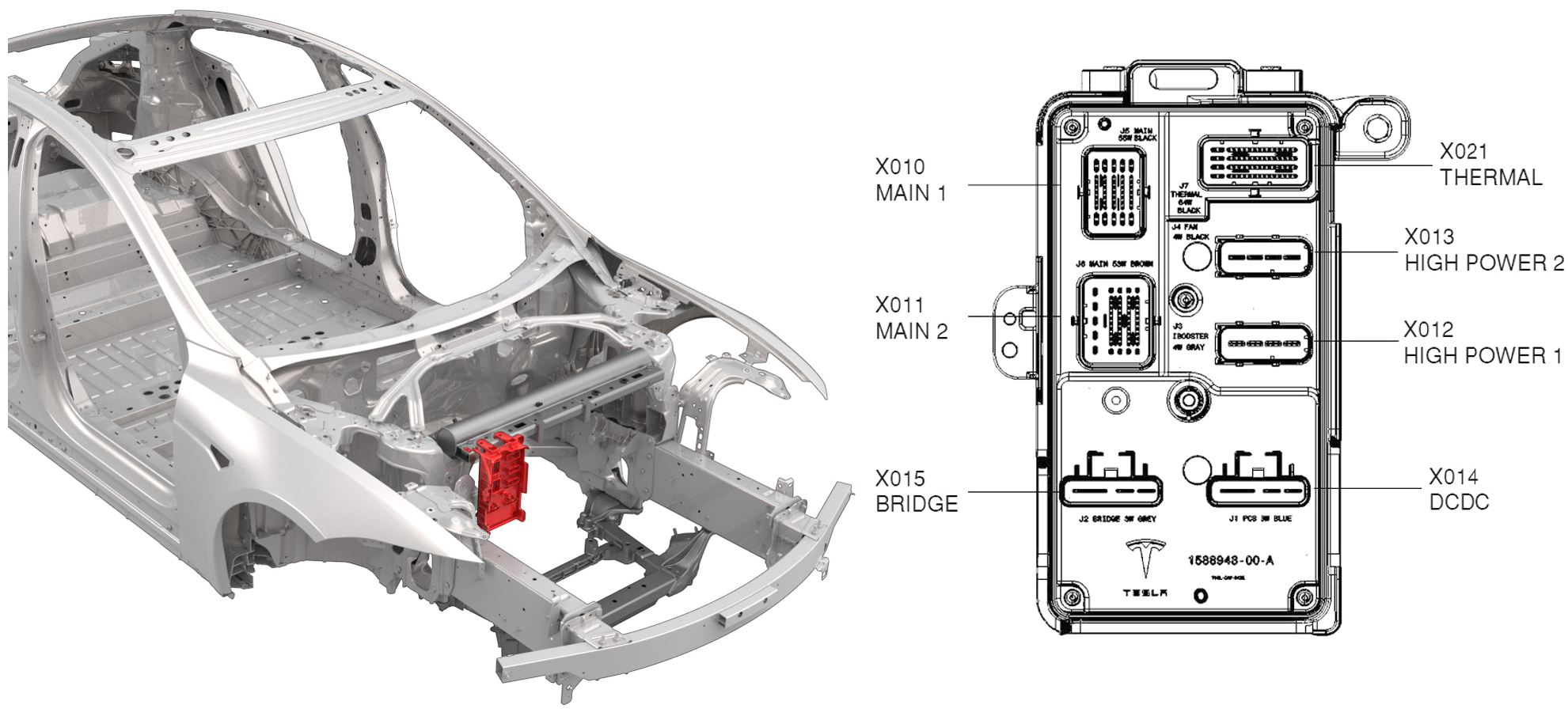 |
|---|
| Vehicle Control Right (VCFRONT) Location |
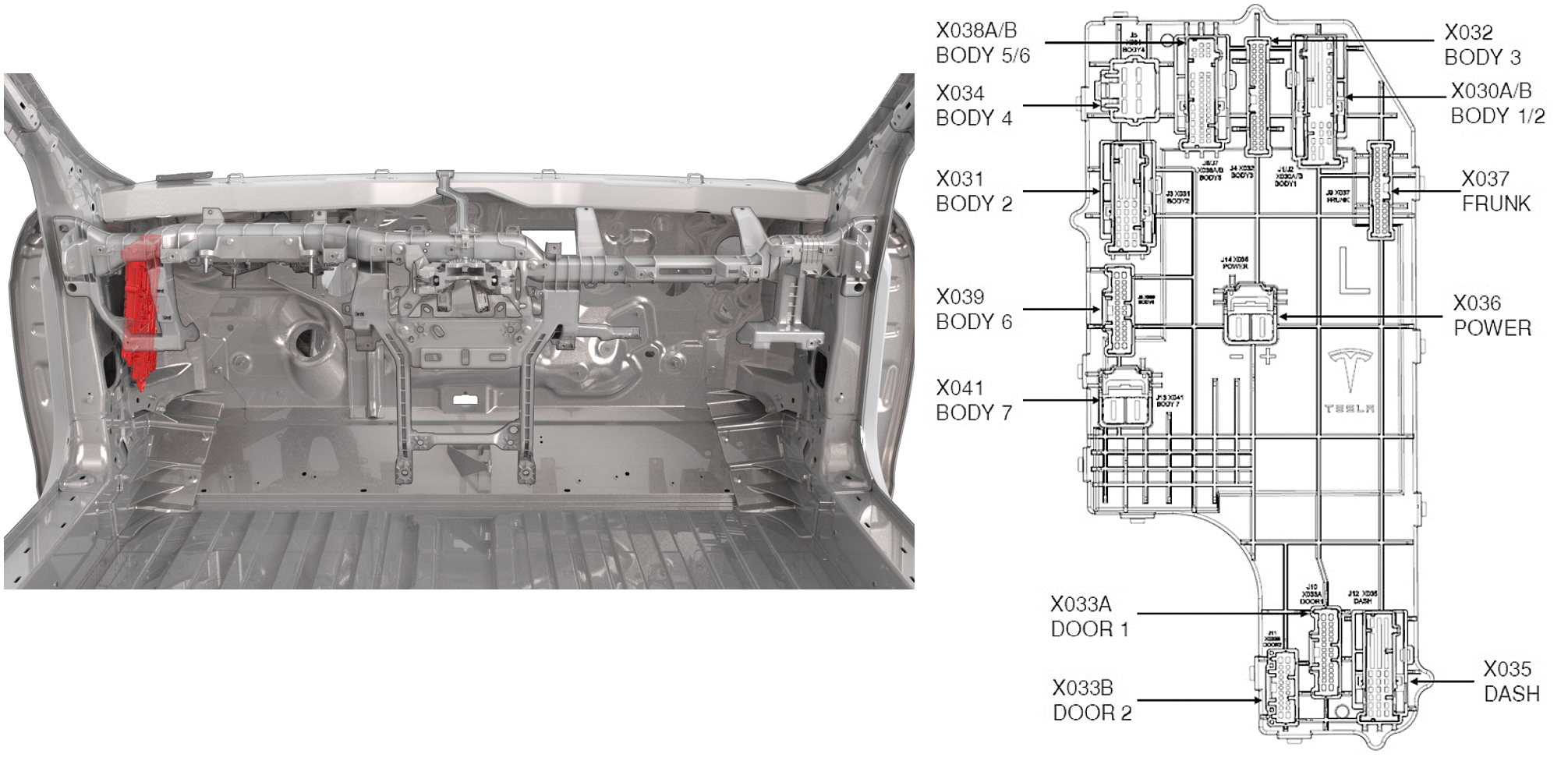 |
|---|
| Vehicle Control Right (VCLEFT) Location |
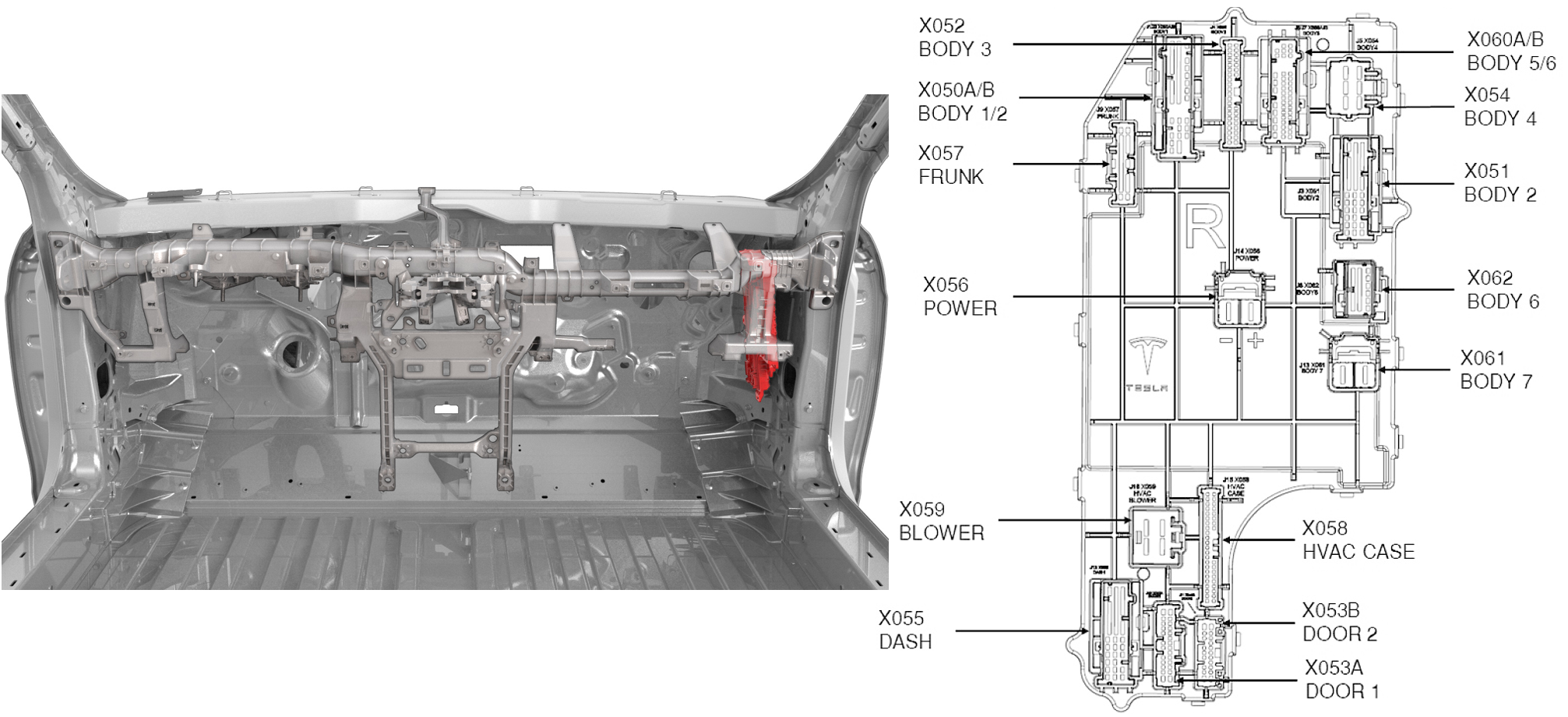 |
|---|
| Vehicle Control Right (VCRIGHT) Location |
Alarm Operationlink
All Marketslink
The Security Vehicle Controller (VCSEC) continuously monitors the status of all latches (front/rear doors and front/rear trunks). When any of the latches are opened while the vehicle is supposed to be locked, the alarm is triggered.
While activated, the horn sounds once every second and the turn signals will flash.
Wiring and Communicationlink
Alarm systemlink
VCSEC is the master control unit of the alarm, it requests door and front/rear trunk statuses (via latch position) from VCLEFT (left side doors and rear trunk), VCRIGHT (right side doors) and VCFRONT (front trunk). If any latch signals report that a closure is open while the alarm is armed, VCSEC sends an alarm message to VCFRONT to sound the horn and flash the turn signals.
Behaviorslink
Alarm Stateslink
The alarm state can be determined from the signal
VCSEC_alarmStatus routed on the VEH CAN bus. The signal value is determined
by VCSEC according to the table below.
| Signal value | Description |
|---|---|
15 ALARM_STATUS_SNA |
When VEH Can bus is asleep. |
7 ALARM_STATUS_DEFAULT |
|
6 ALARM_STATUS_IMMINENT |
If the alarm is armed and triggered, it will wait 1 second in this status to receive an authentication request. If none is received within the time window, the alarm status will change to ALARM_STATUS_TRIGGERED_FLASH_ACTIVE. |
5 ALARM_STATUS_TRIGGERED_FLASH_INACTIVE |
The alarm will wait 10 seconds in this state before entering ALARM_TRIGGERED_FLASH_ACTIVE again. If an unlock request is received while in this state, the alarm goes to ALARM_STATUS_DISARMED |
4 ALARM_STATUS_ERROR |
|
3 ALARM_STATUS_TRIGGERED_FLASH_ACTIVE |
The alarm is active, horn sounding and turn signals flashing. If the alarm remains active for 30 seconds, its status will change to ALARM_TRIGGERED_FLASH_INACTIVE. |
2 ALARM_STATUS_PARTIAL_ARMED |
The vehicle is locked and the alarm initializes. After 1 minute the alarm status will change to ALARM_STATUS_ARMED. |
1 ALARM_STATUS_ARMED |
The alarm is enabled and monitoring the vehicle environment. |
0 ALARM_STATUS_DISARMED |
The alarm is disabled. Either the vehicle is unlocked or the alarm functionality is disabled by the user. |